

Dear You,
You make my world
a little brighter. ♡
A little page made with a lot of heart
Create with Letter4U
Dear You, you make my world a little brighter.
86K+
Total Registered Users
18.1K+
Total Pages Created
Occasion Idea Board
Start with the moment, not an empty form. Pick an occasion to find a creative page idea and the Letter4U template that fits it best.
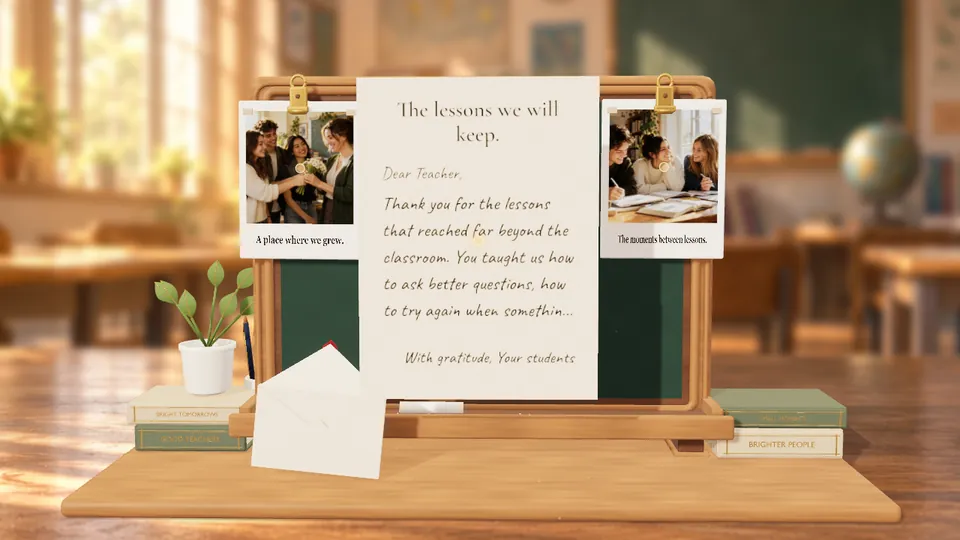
Chalkboard of Thanks
Thank a teacher with a personalized chalkboard, class photos and a letter. Starts at 3 credits; the price follows your writing and photo sizes.
Starts at3 credits
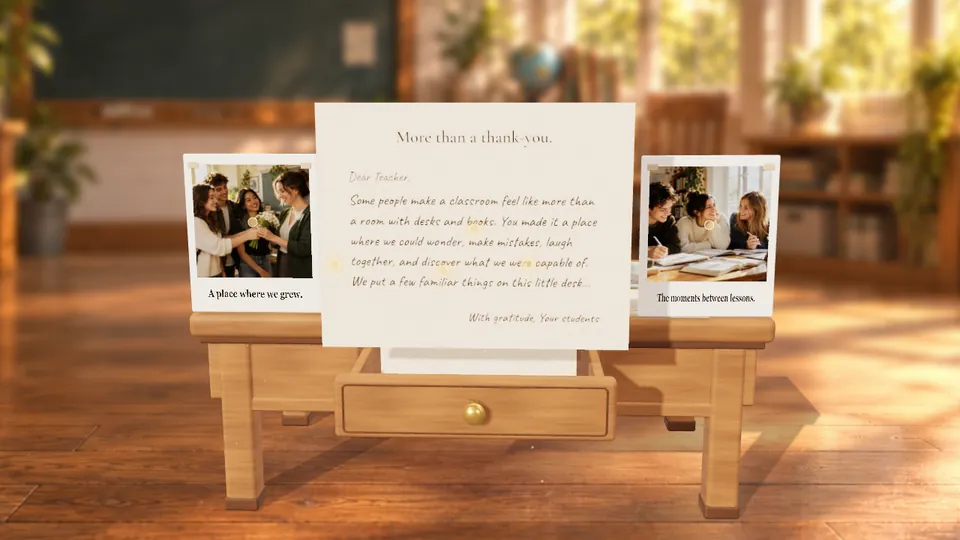
Desk of Appreciation
Leave thoughtful notes among familiar desk objects, with class photos and your letter. Starts at 3 credits; the price follows your writing and photo sizes.
Starts at3 credits
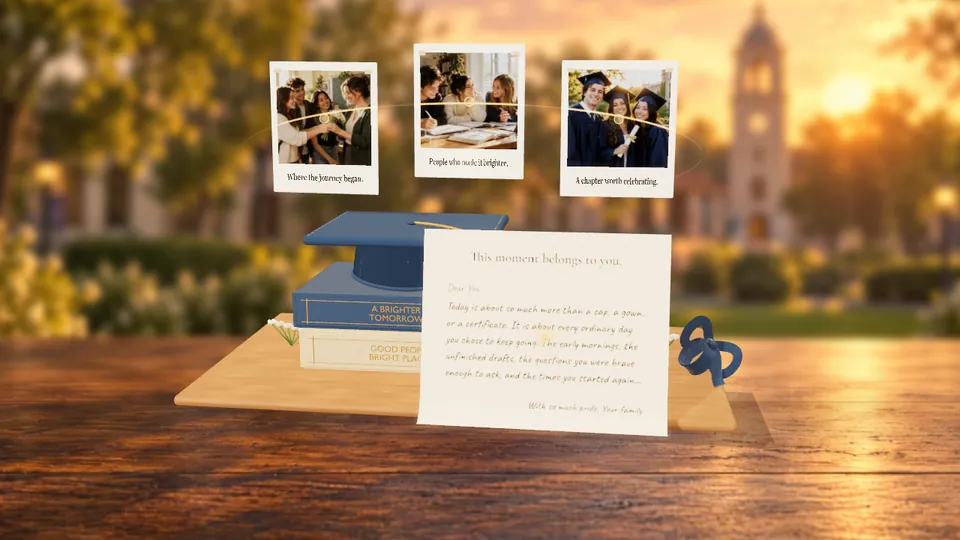
Caps Off to You
Celebrate graduation with a cap reveal, favorite photos and a letter for the next chapter. Starts at 3 credits; the price follows your writing and photo sizes.
Starts at3 credits
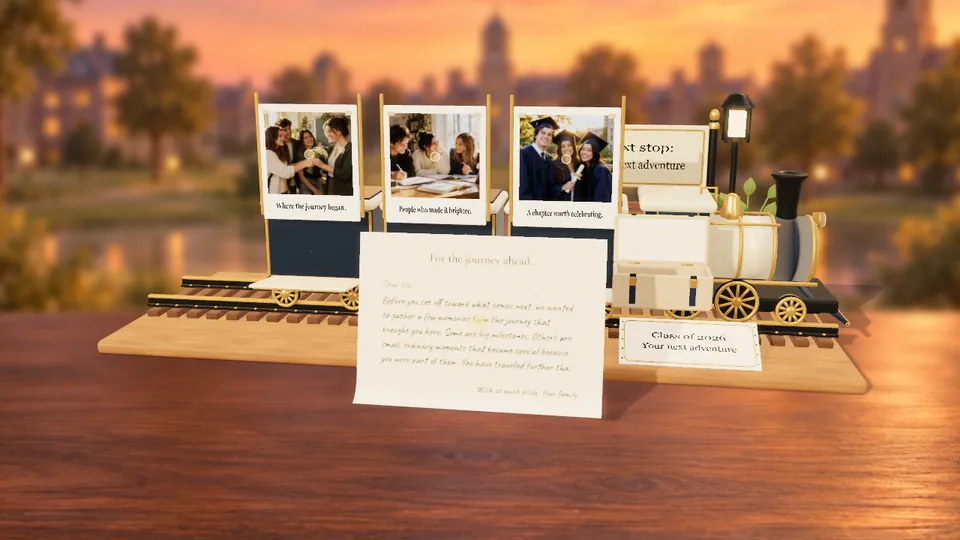
Next Stop: Your Future
Turn graduation memories into a journey with a personal destination, photos and a letter. Starts at 3 credits; the price follows your writing and photo sizes.
Starts at3 credits
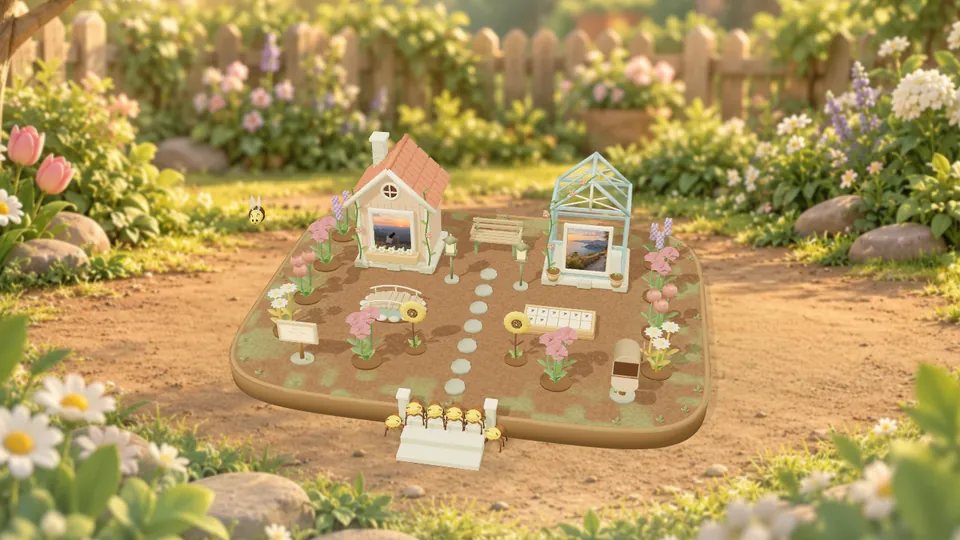
Our Little World
Build a little garden with photo cottages, flowers, hidden notes and your own word puzzle. Starts at 3 credits; the price follows your writing and photo sizes.
Starts at3 credits

Snow Globe
Shake a tiny snowy world, open your memories, and read a letter hidden inside. Starts at 3 credits; the price follows your writing and photo sizes.
Starts at3 credits

Bouquet
Arrange flowers, notes and Polaroids in a personalized 3D bouquet. Starts at 3 credits; the price follows your writing and photo sizes.
Starts at3 credits

Tiny Memory House
Explore a little house that opens into your photos and a heartfelt letter. Starts at 3 credits; the price follows your writing and photo sizes.
Starts at3 credits

Ribbon Gift Box
Unwrap a ribbon-tied gift filled with photographs, notes and a surprise letter. Starts at 3 credits; the price follows your writing and photo sizes.
Starts at3 credits

Witch’s Potion Cauldron
Brew a magical potion and reveal memories floating out of the cauldron. Starts at 3 credits; the price follows your writing and photo sizes.
Starts at3 credits

Trick-or-Treat Candy Bucket
Discover sweet memories and a personal letter inside a playful candy bucket. Starts at 3 credits; the price follows your writing and photo sizes.
Starts at3 credits

Haunted Typewriter
Let a haunted typewriter reveal your words and a collection of memories. Starts at 3 credits; the price follows your writing and photo sizes.
Starts at3 credits

Cupid’s Arrowgram
Send a romantic arrowgram with an animated reveal, memories and your letter. Starts at 3 credits; the price follows your writing and photo sizes.
Starts at3 credits

Blushing Teddy Bear
Meet a blushing teddy with photos, little notes and a letter just for them. Starts at 3 credits; the price follows your writing and photo sizes.
Starts at3 credits

Heart Matchbook
Open a heart-filled matchbook and discover a warm collection of memories. Starts at 3 credits; the price follows your writing and photo sizes.
Starts at3 credits

Love Meter Arcade
Play a little love-meter arcade to reveal photographs and a personal message. Starts at 3 credits; the price follows your writing and photo sizes.
Starts at3 credits

A Little Call from the Heart
Choose a 3D phone, write your note, and let your photos and favorite song unfold one little tap at a time.
RecommendedPhone

A Garden Full of Things to Say
Tuck your words and photos into a paper garden, then share a little confession that feels made by hand.
RecommendedConfession Wall

A Little Love on Cloud Nine
Let Cupid deliver your wishes, keepsake photos, and a personal letter above a soft pink cloud kingdom.
RecommendedCupid’s Cloud Nine

Your Memories as a Card Pack
Design ten collectible keepsake cards, add optional custom photos, and let someone open the animated pack.
RecommendedCard Game

Moonlit Outdoor Movie Night
Play a chosen YouTube video on a 3D outdoor projector and leave a dated personal letter inside the car.
RecommendedOutside Theatre

Galaxy-Locked Love Letter
Reveal a personal letter with a cosmic PIN lock, then show photos through a glowing big-bang transition.
RecommendedLove Lock Galaxy

A Camera Roll They Can Develop
Pack up to 20 photos and tiny notes into a playful 3D instant camera.
RecommendedPolaroid

A Letter Hidden in Their Melody
Add your own recording, a landscape lid photo, and a private letter inside a 3D music box.
RecommendedMusic Box

A Surprise They Have to Win
Turn photos and private notes into capsules inside a playable 3D claw machine.
RecommendedClaw Machine

A Memory Book They Can Explore
Build a real interactive scrapbook with custom pages, photos, animated GIFs, notes, stickers, shapes, and songs they can discover one spread at a time.
RecommendedBook of Memories

Anniversary Time Capsule
Pair one early memory with a favorite recent photo, then add a dated letter about everything that changed and everything that stayed.
RecommendedLocket

Birthday Memory Cake
Turn favorite photos into a playful cake reveal, with one short memory or wish attached to every frame.
RecommendedBirthday Cake

Memory Island Reunion
Build a place they can explore whenever the distance feels heavy, filled with photos, messages, and your shared song.
RecommendedIsland of Memory

Secret Valentine Letter
Write the message you cannot fit on a greeting card, with a four-digit PIN reveal.
RecommendedLove Letter

Graduation Gallery Walk
Curate school memories like an exhibition, ending with a letter about how proud you are of their journey.
RecommendedMuseum

Holiday Pocket Gift
Hide a flower note, a heartfelt letter, tiny photo messages, and a favorite holiday song inside four reveals.
RecommendedFour Box 4U

A Voice Note to Keep
Record the ordinary words they would love to hear again, then turn your voice into a keepsake they can replay.
RecommendedVoice Box

Our Year on Replay
Collect the funniest, quietest, and most important photos from the year into a nostalgic television replay.
RecommendedCRT Slideshow
Your questions, answered
A little guidance for your next creation. Choose a topic or open a question below.
What can I create with Letter4U?
You can create digital letters, birthday surprises, photo memories, voice messages, and interactive 3D pages. Choose a template, add your content, publish it, and share the finished link.
Can I try the editor before using credits?
Yes. Sign in to open any editor and save a local draft, even with no credits. The credit estimate updates with the content you add; you only need enough credits when you publish.
Will my unfinished draft be saved?
Saved drafts stay in this browser or app on this device. Open My Drafts to continue. Drafts do not sync between devices, and clearing your browser or app data can remove them.
Can I edit a page after publishing?
Editing published pages is temporarily unavailable. You can still open, share, or delete them from My Pages. To make a different version, start a new creation.
How do credits work?
Each template has a minimum credit cost. Extra photos, longer text or audio, and a custom link may increase the total. Review the price before publishing. Use Free Credit Tasks or the Shop if you need more credits.
Which template should I choose?
Explore the previews and filters: Card Game or Claw Machine for playful reveals, Love Lock Galaxy or Love Letter for PIN-locked messages, Birthday Cake for celebrations, and Book of Memories or Polaroid for photo stories.
Who can view my published page?
Anyone with the viewer link may be able to open it. PIN-gated templates add an extra step, but the PIN is not a replacement for real account security. Only share pages with people you trust.
What photos, audio, and music can I add?
Photo templates accept common formats, including JPG, PNG, WebP, and HEIC/HEIF phone photos, with cropping and compression before upload. Voice Box and Music Box support audio; templates with background music can use a valid YouTube link. Follow the limits shown in your editor.
Where are my published files stored?
Your published page and its uploaded media are stored online so your recipient can open the shared link. Unpublished local drafts stay on the device where you created them.
Can I choose a custom page name?
Yes, when the name is available and follows the allowed format. A custom name costs extra credits and creates a cleaner link, so check the spelling before publishing.
Can I delete a published page?
Yes. Remove it from My Pages when you no longer want the viewer link to work. Deleting a page does not refund credits that were already used to publish it.
What should I check if publishing fails?
Check that you are signed in, online, have completed every required field, and have enough credits. If the page contains media, try smaller files or fewer uploads, then publish again.